"Give Me Six Hours to Chop Down a Tree and I Will Spend the First Four Sharpening the Axe."
I took that literally. Six hours designing a CLI overhaul. Zero lines of code. Two published specs. Here's what sharpening the axe actually looks like.

Two weeks ago I rewrote my entire workflow — removed the desk from coding, replaced six apps with one Telegram chat, built a system where my AI agent handles everything from research to publishing. That was the infrastructure. This is the first real test of it.
Agent Orchestrator's CLI was a mess — six-step onboarding, duplicate commands, hardcoded everything. The old me would've cloned the repo and started hacking. Instead, I opened Telegram, talked to my agent, and spent six hours doing something I'd never done before: designing before building. No laptop. No IDE. No code. Just questions, decisions, and two published specs.
By the end I had killed five features, added zero flags, and produced a 17-section design doc + 18-step implementation plan that any developer or AI agent can pick up cold and build. Here's how.
The Problem
I contribute to Agent Orchestrator, an open-source system for managing parallel AI coding agents. AO is powerful. Its onboarding is not.
- Clone the repo
pnpm install && pnpm buildao init(13-prompt wizard)ao start- Hope the port isn't taken
- Hope node-pty compiled
npm install -g @composio/aoao start ~/my-project
Six steps down to two. Sounds simple. Designing it was not.
The end-to-end journey we designed:
One command handles everything. No flags needed. The details of how — that's in the hard decisions below.
How I Actually Designed This
I didn't open a Google Doc. I didn't sketch wireframes. I didn't schedule a meeting.
I opened Telegram and started arguing with my AI agent.
Not "write me a design doc." More like thinking out loud — questioning assumptions, poking holes, killing bad ideas before they became code.
The conversation looked like this:
Me: "Why does ao init exist separately from ao start?"
The agent goes through the codebase. Finds that init.ts is 481 lines, start.ts is 557 lines, and 6 of 14 capabilities are duplicated between them. Shows me the overlap matrix.
Me: "Absorb them. Kill init as a standalone."
Me: "What happens if someone runs ao start when it's already running?"
Agent proposes a detection system with running.json. Interactive menu for humans. Structured output for agents.
Me: "But I want users to be able to run multiple orchestrators on the same project."
Agent initially proposes a --id flag and separate ports. I kill it. We iterate until the answer is simple: same dashboard, same port, just another config entry with a unique session prefix. No architecture change.
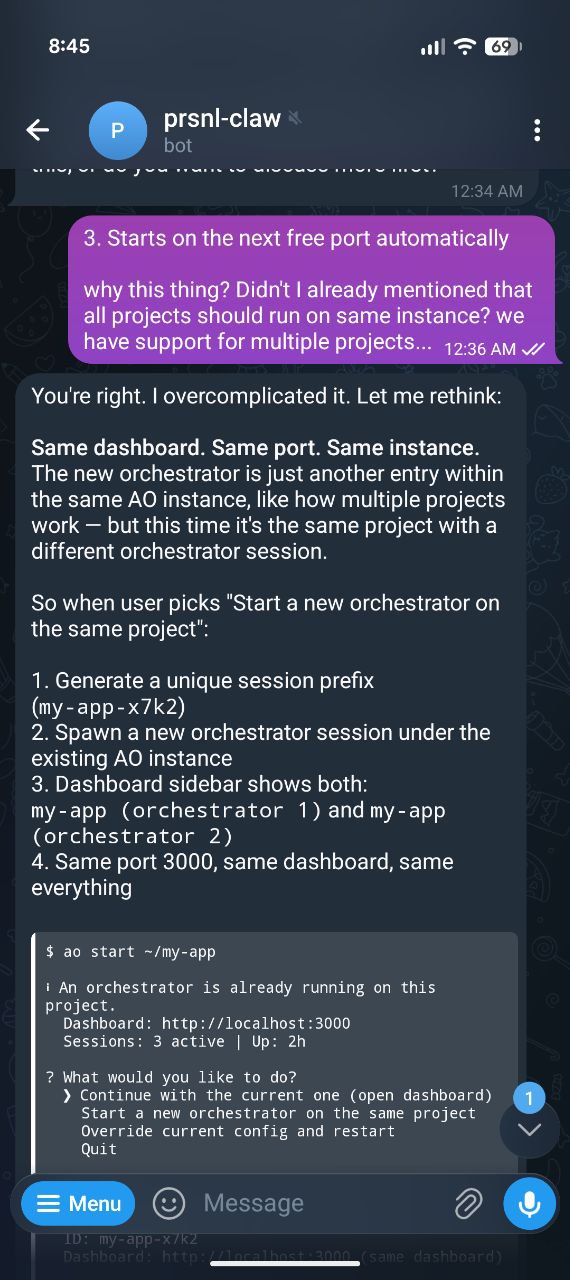
The actual conversation. I caught a bad assumption — the agent pivoted in real time.
This went on for six hours.
What I Killed
The biggest value wasn't what we added. It was what we killed before anyone built it.
| What | Why it seemed right | Why I killed it |
|---|---|---|
--id flag |
Obvious solution for parallel instances | Users don't read flag docs. Agents don't guess flags. One instance, one port, sidebar handles it. |
| Hardcoded runtime detection | Just which claude, which codex… |
Growing project = growing list = maintenance debt. Plugin registry — each plugin detects itself. |
The cd step |
Standard pattern | ao start ~/my-project takes a path. Two steps, not three. |
ao init |
Been there since day one | 70% overlap with ao start. Users ran init, forgot start. Absorbed. |
ao add-project |
Clean separation of concerns | ao start ~/other-repo does the same thing. One command, not three. |
Five things killed. Zero new flags added. The CLI got simpler, not more complex.
The Hard Decisions
Two problems that took the longest to get right. Both went through multiple iterations before landing somewhere simple.
1. What happens when ao start hits a running orchestrator?
Current behavior: starts a second dashboard on another port. Two instances. User doesn't know which one to use.
But sometimes you want a second orchestrator on the same project. One for bugs, one for features. The question isn't "should we allow it?" — it's "how do we make it obvious?"
Three iterations:
- Block it. "Already running, exit." — Too restrictive. Killed it.
--id stagingflag. — Back to the flag problem. Users don't read docs. Killed it.- Ask. — Interactive menu. Four choices. Zero flags.
$ ao start ~/my-app

ℹ An orchestrator is already running on this project.
  Dashboard: http://localhost:3000
  Sessions:  3 active | Up: 2h

? What would you like to do?
  ❯ Continue with the current one (open dashboard)
    Start a new orchestrator on the same project
    Override current config and restart
    Quit
"New orchestrator" generates a unique name (my-app-x7k2), duplicates the config entry, spawns it. Same dashboard. Same port. No architecture change — it's just another config entry pointing to the same repo.
AI agents don't get the menu. They get structured text — port, PID, uptime — and exit cleanly. Agents know what to do with data. They don't know what to do with menus.
The full decision tree for what ao start now handles:
detect & create config
absorbed init logic
Continue / New / Restart / Quit
One command. Every scenario. No flags.
2. Hardcoded runtime detection
The first draft had this:
const checks = [
  { name: "claude-code", bin: "claude" },
  { name: "codex",       bin: "codex" },
  { name: "opencode",    bin: "opencode" },
];
Three lines. Works today. Ships fast.
But I've seen what happens to hardcoded lists in growing projects. New plugin, list not updated, user files issue, someone patches, another plugin comes. Repeat forever.
I killed it: "I never want things hardcoded. This project is continuously growing."
The replacement: each agent plugin exports its own detect() method and priority value. The CLI asks the plugin registry "what's available?" — plugins answer for themselves. New runtime? Publish an npm package. Zero code changes. Ever.
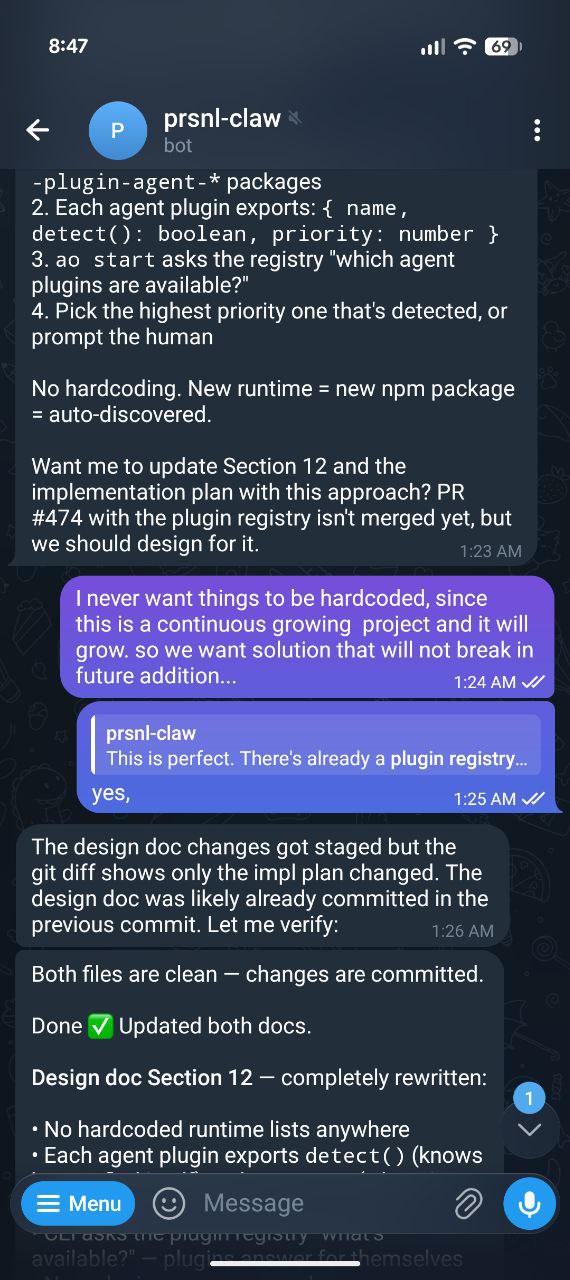
"I never want things hardcoded. This is a continuously growing project." — the exact moment.
Designing for Two Audiences
Here's something most CLI tools get wrong: they're designed for either humans or machines. Not both.
AO gets used by developers typing in terminals AND by AI agents running it programmatically. Same command, very different needs.
| Scenario | Human (TTY) | Agent (non-TTY) |
|---|---|---|
ao start while running |
Interactive menu: Continue / New orchestrator / Override & restart / Quit | Print info + exit 0 |
| Multiple runtimes detected | "Which runtime?" prompt | Auto-pick highest priority |
ao spawn without project |
Auto-detects from AO_PROJECT_ID |
Same — env var inherited |
| Error | Colored, friendly message | Structured text, parseable |
One check: process.stdout.isTTY. That's it. If true, you're talking to a human. If false, you're talking to a script or agent. Every command adapts.
Why Design-First Changed How I Think
I'm being honest: I've never done this before. I'm the developer who reads a problem, opens VS Code, and starts typing. Hit an edge case at hour 3. Refactor at hour 5. Rewrite at hour 8. Ship something that works but nobody understands why.
This session flipped that.
ao start absorption: init, add-project, and config creation merged into one command. 481 + 148 lines → thin wrappers.running.json, PID liveness checks, interactive menu for humans, structured exit for agents.--id flag. Answer: duplicate config entry with unique session prefix. Same dashboard, same port.detect() + priority. Zero future maintenance.ao spawn simplification. Audited both docs end-to-end. Caught 7 bugs in the spec itself. Fixed and published.Six hours. No code. But:
- Every edge case is handled before it's hit. PID reuse? Stale running.json? Race conditions? All in the spec.
- Decisions are documented, not buried in code. "Why doesn't
ao spawnrequire a project name?" — section 16. - The architecture doesn't change. Multiple orchestrators? Just another config entry. Proved during design, not during a painful refactor.
- Anyone can implement it. Human or AI agent. Exact code, exact file paths, exact test cases.
The Impact
Six hours of conversation. Here's what it produced:
Everything got simpler. Fewer commands, fewer lines, fewer things to learn. And every decision has a URL you can point to when someone asks "why?"
The Meta
The agent read the AO codebase, analyzed 133 open PRs, checked the plugin registry in PR #474, and produced two publication-quality specs. I asked questions and made decisions. That's it.
This is the loop: build a workflow → use the workflow to design something → hand the design to an agent → the agent builds it. Every cycle gets faster.
What's Next
The design doc goes to the owner for review. After that:
- Hand the implementation plan to a Claude agent on PR #463
- The agent builds it — 18 steps, exact code from the spec
- I review the output, not the approach (because the approach is already reviewed)
That's the shift. I'm not reviewing "how did you solve this?" I'm reviewing "did you follow the spec?"
Read the specs: Design Doc (17 sections) → | Implementation Plan (18 steps) →